
Connect your shop in a few minutes.
FFL Field Ops opens FastBound in the web browser you already use. Sign in, copy the account key, then return to the app and paste it.
Generating a new key replaces the current one and may disconnect that software. Check with your shop owner or current provider before replacing an existing key.
- 1
Open FastBound
Tap Open FastBound. Your usual browser opens so your saved FastBound sign-in can work normally.
Open FastBound - 2
Find the account key
Choose the FastBound account for this shop location. Open Settings, note the account number, and tap Generate under API Key.
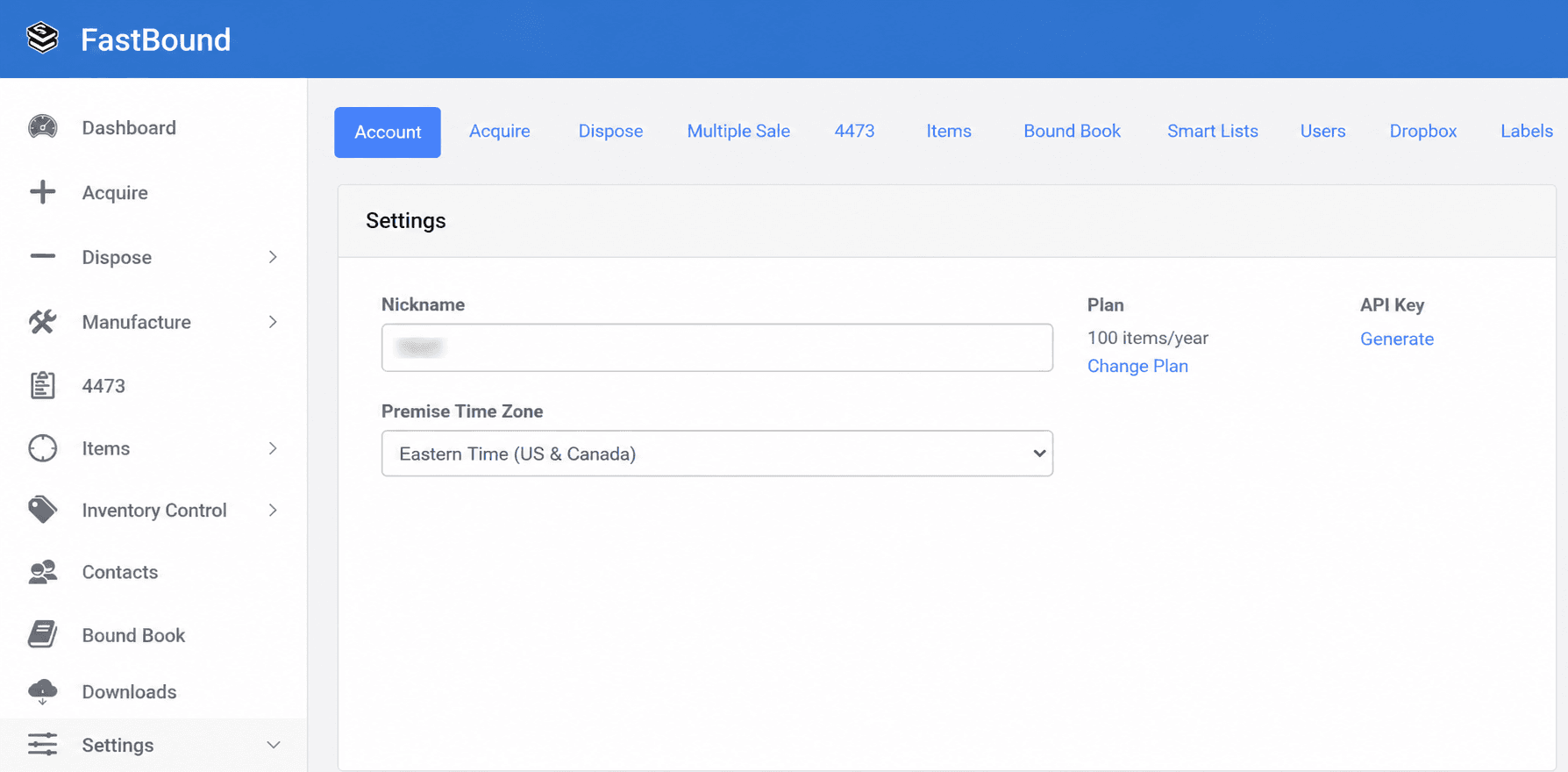
FastBound Settings places Generate beside API Key. - 3
Review FastBound's message
FastBound explains that a new key replaces the current key and provides broad account access. Read its terms, check the acknowledgement only if you agree, then continue.
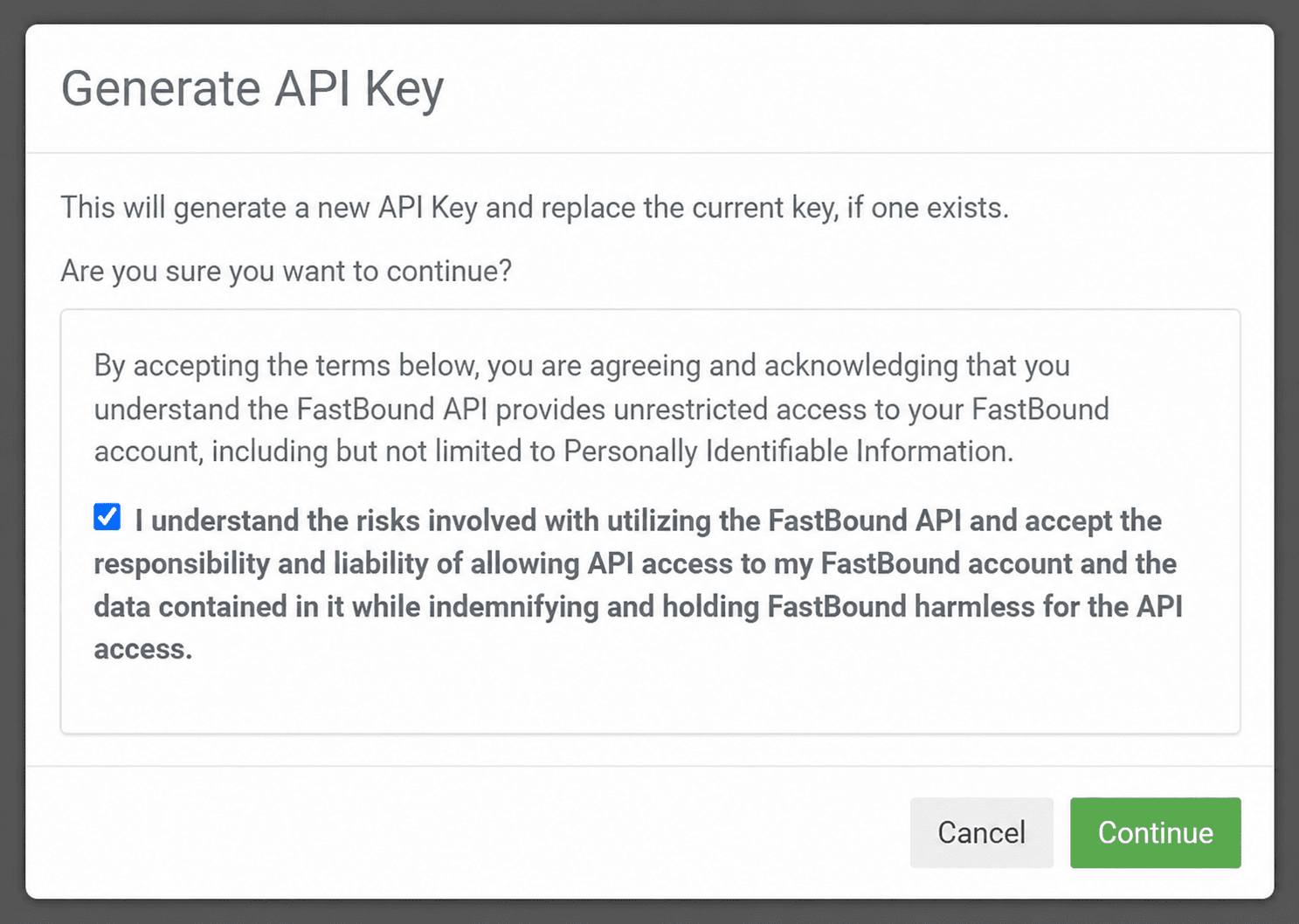
FastBound asks you to acknowledge the API access risk before generating a key. - 4
Return and paste
Copy the new key, return to FFL Field Ops, and tap Paste my FastBound key. Enter the account number and an active FastBound user email, then tap Connect FastBound.
What happens next?
The app checks the account and active FastBound user without changing any records. If you pasted the key, it is removed from the phone clipboard and stored in the protected connection service for this shop location.
Get setup helpFastBound screens may change. FFL Field Ops is an independent product and is not endorsed by or an official product of FastBound.